
How to track link clicks in Live Engagement Campaign
1 min readUpdated May 13, 2024
On this page

Track link clicks with UTM links
Hum does not show link clicks in campaign reporting but you can still track link clicks by setting up all links with UTM parameters.
Setting up UTM links for Live Engagement Campaign
-
- Set the utm_campaign value to the campaign code.
- We recommend setting this to match the campaign code so that you can easily track multiple links associated with the same campaign.
- (Optional) Set the utm_source to “hum_campaign”
- (Optional) Set the utm_medium to “onsite”
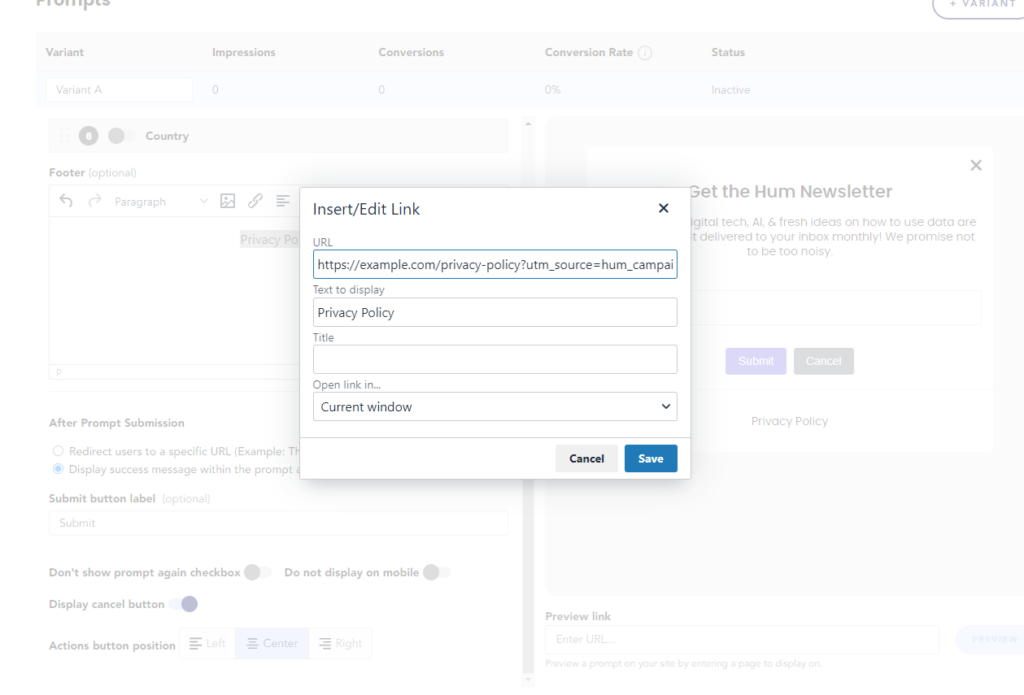
- Set the link in the prompt builder to the UTM link.
- Set the utm_campaign value to the campaign code.
Example Link
https://example.com/privacy-policy?utm_source=hum_campaign&utm_medium=onsite&utm_campaign={campaign code}
Was this article helpful?
Feedback isn’t a support request. Contact support.